
projects /
WordPress Malware Removal and Hacked Site Recovery
WordPress Malware Removal and Hacked Site Recovery
Client
Emergency Locksmith
Date
Aug 01, 2026
WordPress security incident response case study
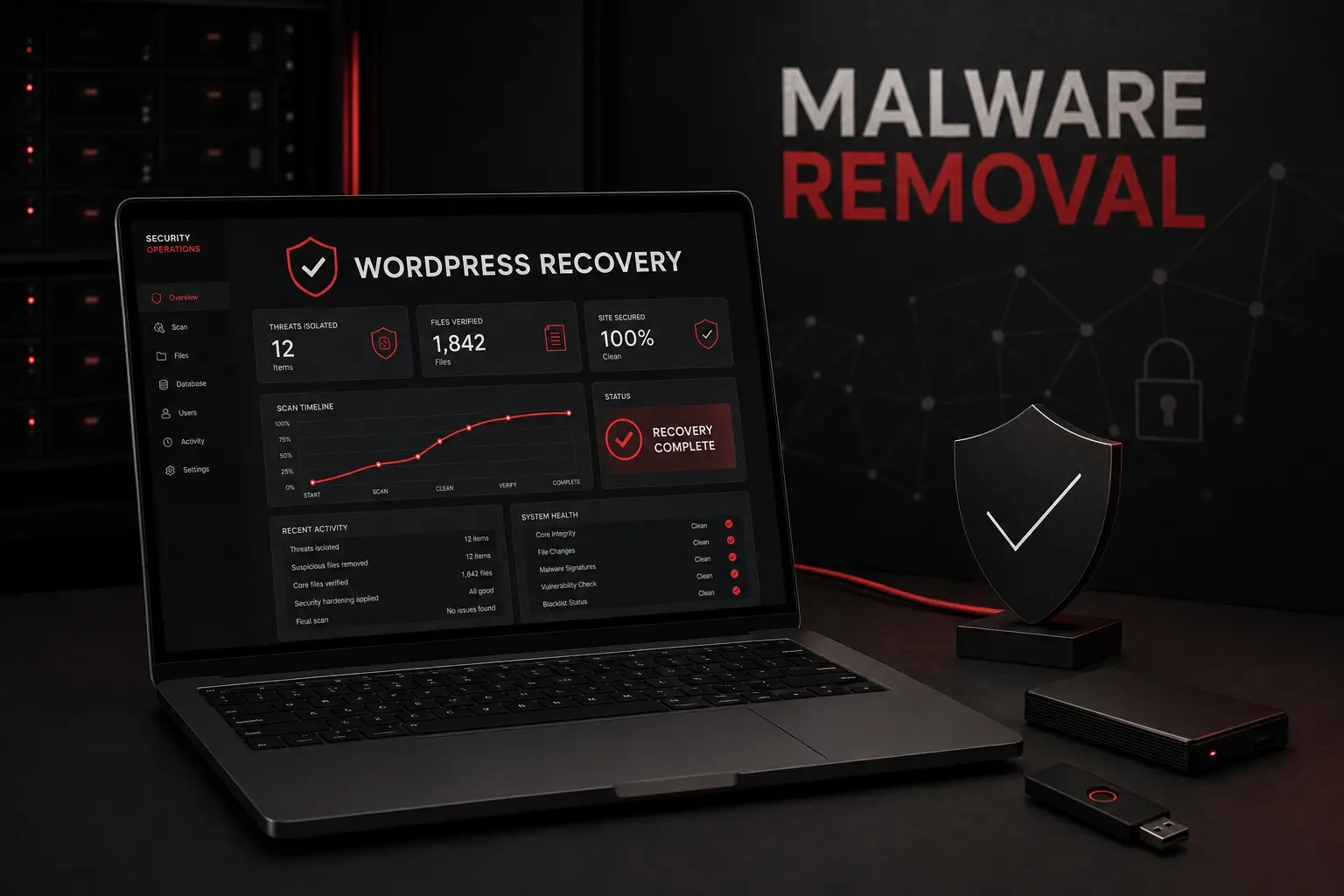
WordPress Malware Removal and Hacked Site Recovery
A business website was compromised through a critical vulnerability in the installed WordPress version. The first visible warning was a malicious plugin reported by the hosting provider, but the incident extended beyond one file and one website. A complete WordPress malware removal investigation was required to determine how access was obtained, whether persistence remained, and how the infection reached other document roots under the same hosting account.
The response combined access-log analysis, malware identification, file-hash comparison, account-wide scanning, containment, and clean website recovery. The original entry point was confirmed without disclosing the client, domain, IP addresses, credentials, or other identifying information.
The response combined access-log analysis, malware identification, file-hash comparison, account-wide scanning, containment, and clean website recovery. The original entry point was confirmed without disclosing the client, domain, IP addresses, credentials, or other identifying information.
Client:
Confidential service business
Incident:
WordPress compromise and cross-site malware spread
Service:
WordPress malware removal and incident response
Environment:
WordPress and multiple websites on shared hosting
Recovery:
Clean rebuild without the compromised CMS
Privacy:
All identifying information anonymized
The problem was larger than one infected plugin
The hosting provider detected a suspicious PHP file inside a WordPress plugin directory. Its code exposed administrative commands, configuration access, token collection, arbitrary file operations, code injection, and remote command capabilities. The plugin name and description were designed to look harmless, but its behavior was consistent with a full webshell.
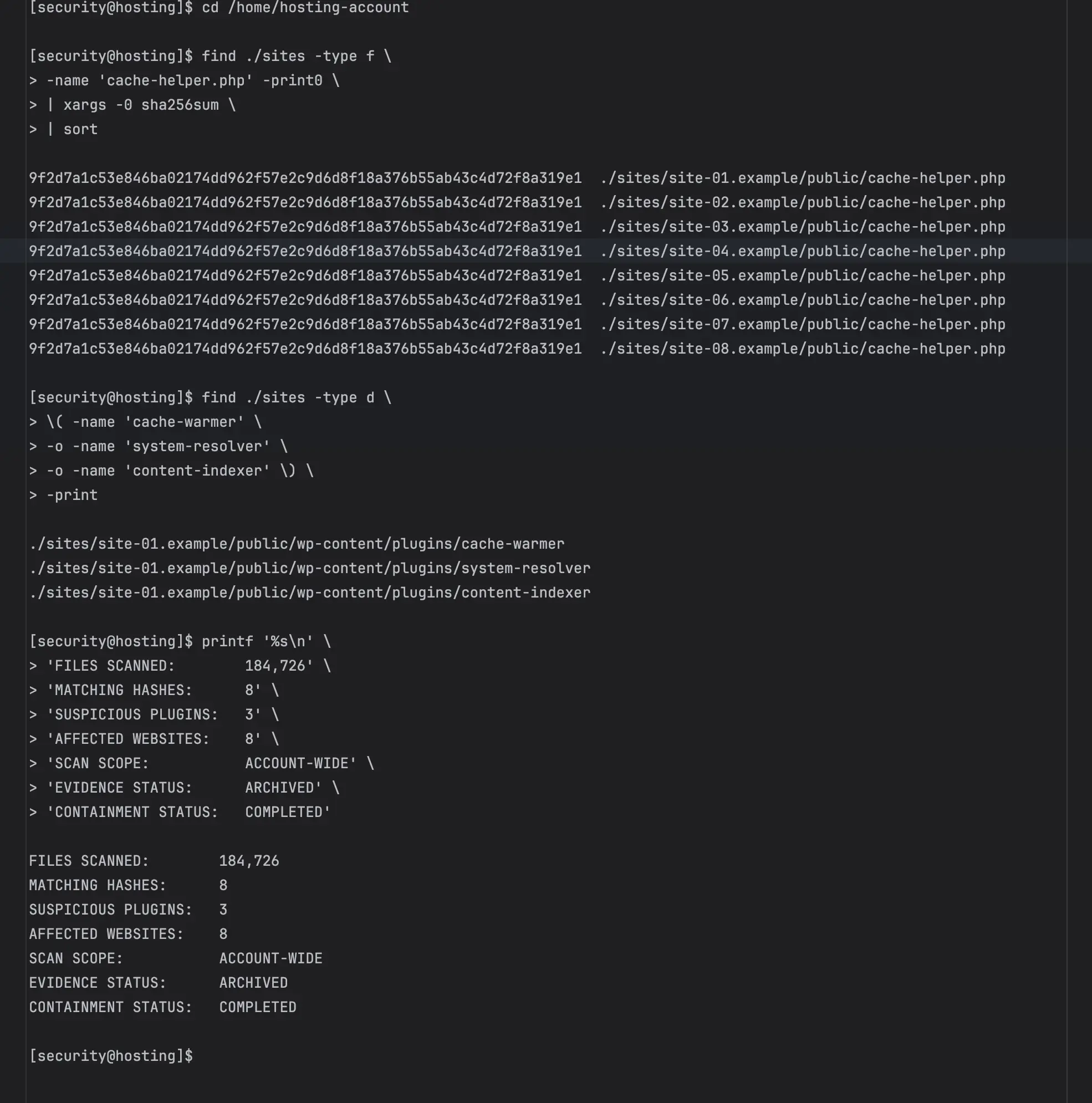
A basic delete-and-rescan approach would not be sufficient. Additional randomly named plugin directories appeared on different dates, and an identical PHP backdoor was discovered across numerous websites belonging to the same hosting account. This indicated persistence and lateral spread rather than an isolated infected file.
A basic delete-and-rescan approach would not be sufficient. Additional randomly named plugin directories appeared on different dates, and an identical PHP backdoor was discovered across numerous websites belonging to the same hosting account. This indicated persistence and lateral spread rather than an isolated infected file.
Main incident-response objectives
Preserve suspicious files before removing active malware
Identify the initial WordPress attack vector
Reconstruct the compromise timeline from server access logs
Determine whether FTP or SSH credentials were involved
Find identical backdoors across every website in the account
Contain executable malware before it could be triggered again
Recover the affected website from a clean codebase
Design a practical WordPress security hardening plan
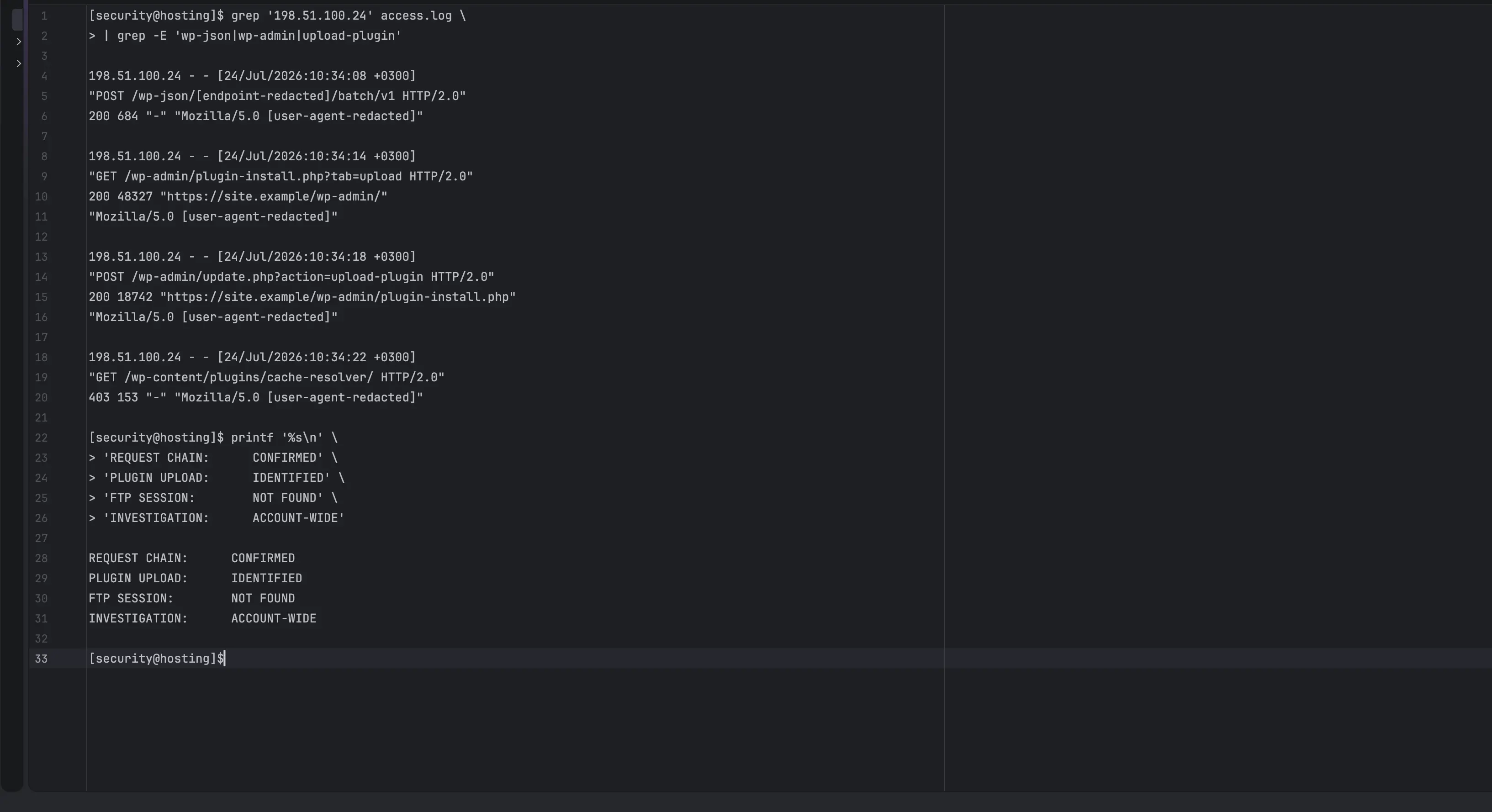
Access-log analysis confirmed the original attack path
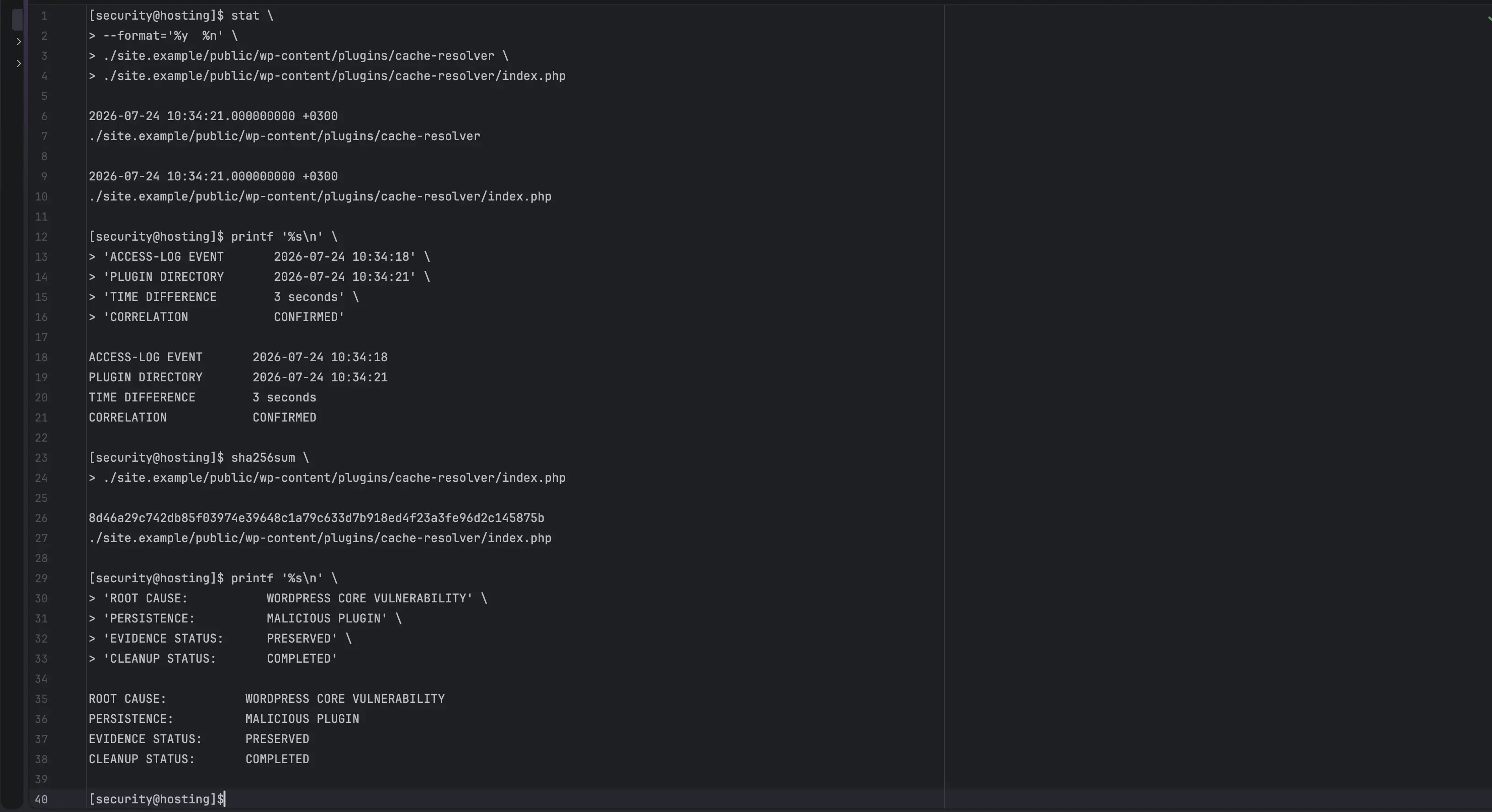
The investigation started with raw web-server access logs rather than assumptions about weak passwords or outdated plugins. A repeated sequence of HTTP requests exposed the complete intrusion path. An external host submitted requests to a vulnerable WordPress REST batch endpoint, reached the administration workflow, opened the plugin-upload screen, and uploaded a plugin within seconds.
The timestamp of that upload matched the creation time of a malicious plugin directory. The same request sequence appeared again several days later, and its timestamp matched a second malicious plugin. This correlation provided stronger evidence than an antivirus signature alone: the server logs documented how the attacker entered, while filesystem metadata showed what was created immediately afterward.
The timestamp of that upload matched the creation time of a malicious plugin directory. The same request sequence appeared again several days later, and its timestamp matched a second malicious plugin. This correlation provided stronger evidence than an antivirus signature alone: the server logs documented how the attacker entered, while filesystem metadata showed what was created immediately afterward.
The installed WordPress release was affected by a critical core vulnerability capable of enabling remote code execution. This explained why no successful FTP session was required and why changing only the WordPress administrator password would not remove the original risk.
The analysis separated unrelated login probes from the requests that produced a successful administrative plugin upload. It also established the earliest known exploitation attempt and the later compromise windows used to maintain access.
Critical WordPress core vulnerability identified as the entry point
Exploit requests correlated with malicious plugin timestamps
Successful plugin-upload actions isolated from ordinary traffic
No supporting evidence of FTP-based initial access
The consequence: one vulnerable site affected a larger hosting account
The compromised WordPress process operated under the same system user as the account's other websites. Because those document roots shared filesystem ownership, malicious PHP could write copies of a backdoor outside the original website. Identical file hashes confirmed that the same payload had been deployed across multiple domains and application types.
This changed the scope of the project. Website malware removal could not be limited to the first WordPress installation. Every WordPress, Laravel, and standalone PHP document root had to be treated as potentially exposed until inspected. Credentials stored in configuration files also had to be considered compromised because the webshell included file-reading and configuration-discovery capabilities.
This changed the scope of the project. Website malware removal could not be limited to the first WordPress installation. Every WordPress, Laravel, and standalone PHP document root had to be treated as potentially exposed until inspected. Credentials stored in configuration files also had to be considered compromised because the webshell included file-reading and configuration-discovery capabilities.
Risks created by the compromise
Persistent access through disguised WordPress plugins
Identical backdoors copied into unrelated websites
Possible exposure of database and SMTP credentials
Possible access to application configuration and API tokens
Reinfection after deleting only the antivirus-detected file
Unauthorized mail or external network activity from PHP
Search-engine warnings, redirects, spam pages, or reputation damage
Loss of confidence in backups created after the initial breach
Account-wide WordPress malware cleanup and containment
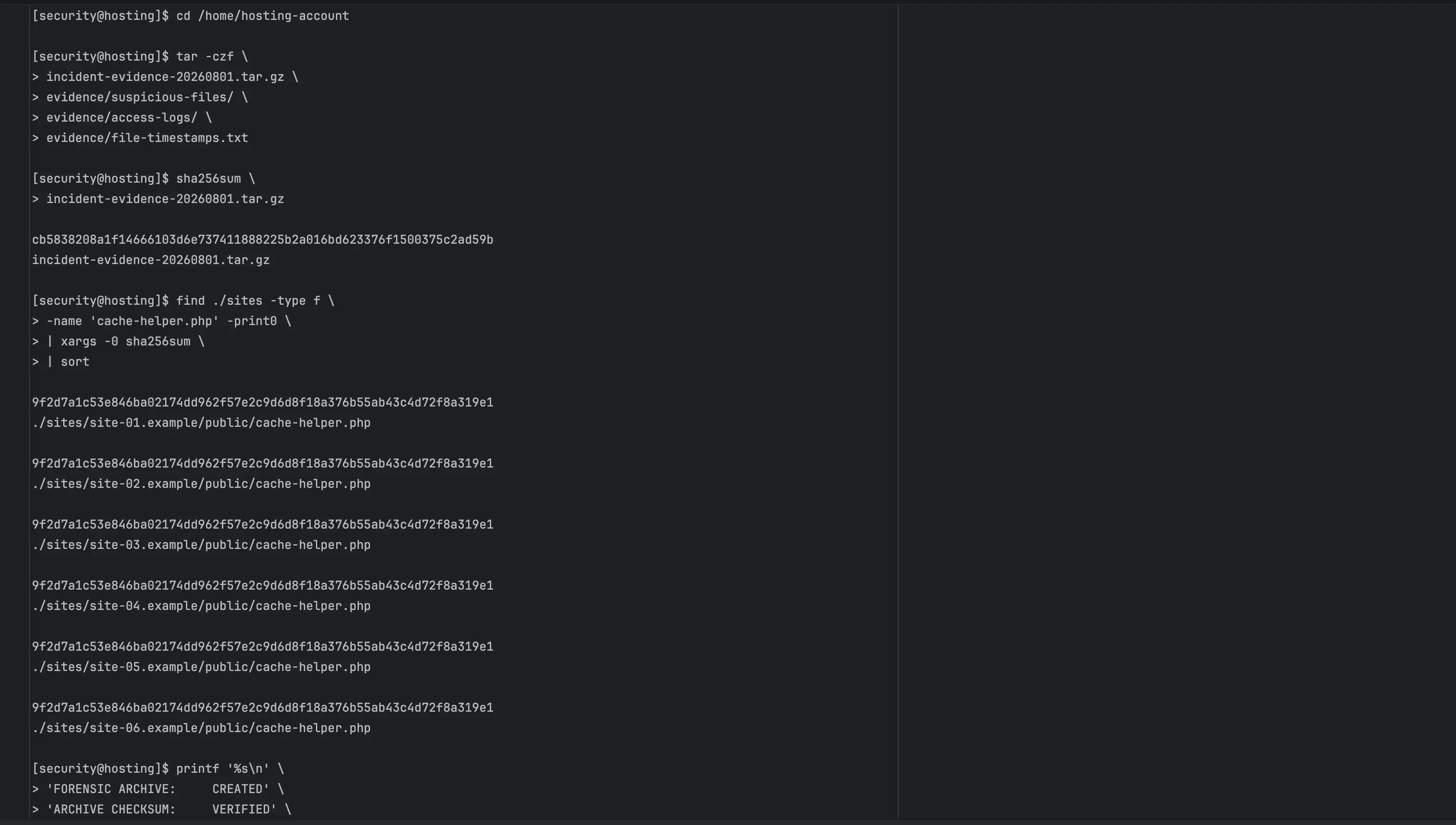
Before deletion, suspicious files were preserved in a controlled archive and hashed so the investigation retained a verifiable record. Known malicious filenames, randomized plugin directories, matching content signatures, obfuscated PHP patterns, and identical hashes were then searched across the complete hosting account.
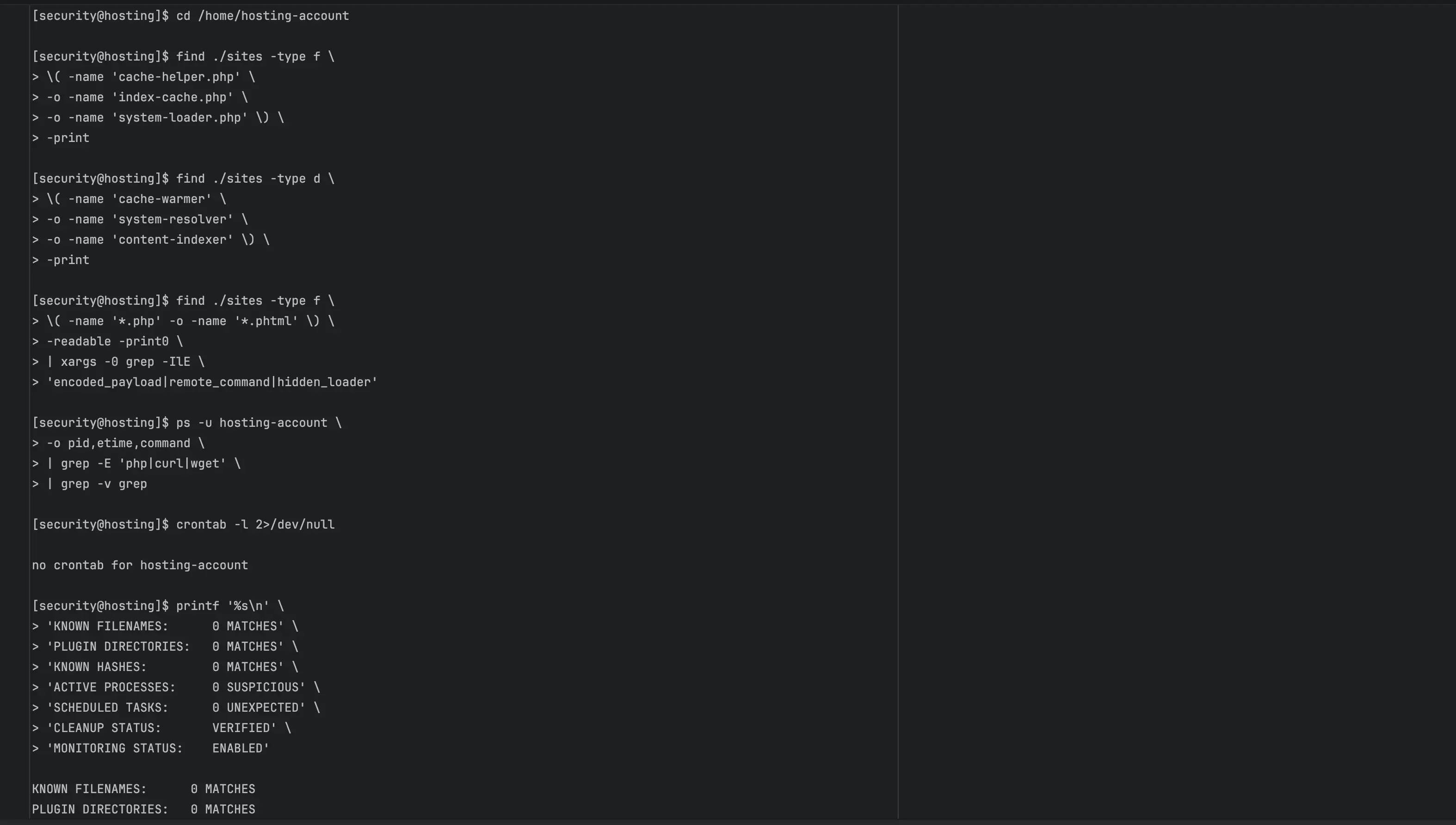
Executable access to confirmed malware was restricted during the investigation. Once the evidence archive was secured, the malicious plugin directories, copied backdoors, and additional infected PHP files were removed. A second search confirmed that the known filenames and directories were no longer present.
Executable access to confirmed malware was restricted during the investigation. Once the evidence archive was secured, the malicious plugin directories, copied backdoors, and additional infected PHP files were removed. A second search confirmed that the known filenames and directories were no longer present.
The response did not rely on a single antivirus result. Manual code inspection revealed fake plugin headers, encoded payload manifests, XOR-based decoding, command-execution logic, and persistence mechanisms that generic keyword searches could miss.
Running processes were treated as part of containment because deleting a file does not stop code already loaded in memory. FTP users were removed, system-generated SSH keys were verified with the hosting provider, and scheduled-task interfaces were checked for unexpected jobs.
Forensic archive created before destructive cleanup
SHA-256 hashes used to find identical malware copies
Randomly named malicious plugin directories removed
Known backdoors removed across multiple document roots
Clean website recovery without restoring the vulnerable installation
The initially compromised website no longer required WordPress for its business purpose. Instead of restoring the same CMS, plugin inventory, and attack surface, the website was rebuilt as a lightweight standalone implementation using a clean codebase. Public content and conversion elements were preserved without carrying over the compromised WordPress core, plugin directories, or theme files.
This approach reduced the immediate attack surface and avoided importing unknown persistence from a recent backup. Other dynamic websites remained subject to separate verification because a clean replacement for one site cannot prove that every neighboring application is safe.
This approach reduced the immediate attack surface and avoided importing unknown persistence from a recent backup. Other dynamic websites remained subject to separate verification because a clean replacement for one site cannot prove that every neighboring application is safe.
Where WordPress remains necessary, the recovery method is different: install a clean current core, reinstall themes and plugins from trusted sources, inspect uploads and the database, review administrators and application passwords, invalidate sessions, and rotate exposed credentials after the environment is clean.
Laravel and custom PHP applications require clean deployment from trusted repositories, dependency reinstallation from lock files, review of public and writable directories, and rotation of secrets stored in environment configuration.
Compromised WordPress installation removed from the primary site
Business-critical content rebuilt from a clean codebase
No infected core, plugin, or theme files reused
Recent backups treated as untrusted until inspected
WordPress recovery separated from Laravel recovery
Credential rotation scheduled after cleanup
Follow-up scanning included in the recovery process
WordPress security hardening after malware removal
WordPress malware cleanup removes the known infection, but it does not automatically prevent another compromise. The hardening plan was therefore based on containment, least privilege, software updates, restricted administration, and ongoing monitoring.
The most important architectural finding was that PHP-level controls are not equivalent to true website isolation. Restrictions such as open_basedir and disabled command-execution functions can reduce lateral movement, but websites using the same hosting-system user still share a larger security boundary. Separate hosting accounts or system users provide stronger containment.
The most important architectural finding was that PHP-level controls are not equivalent to true website isolation. Restrictions such as open_basedir and disabled command-execution functions can reduce lateral movement, but websites using the same hosting-system user still share a larger security boundary. Separate hosting accounts or system users provide stronger containment.
Recommended post-incident controls
Update every WordPress installation before returning it to public access
Reinstall plugins and themes only from trusted sources
Enable two-factor authentication for administrators
Disable WordPress dashboard file editing
Restrict plugin installation when updates are managed externally
Apply the narrowest compatible open_basedir per website
Disable unnecessary PHP command-execution functions
Use separate database users and unique credentials per site
Place important websites under separate hosting accounts or system users
Maintain off-server backups, access logs, and file-integrity monitoring
WordPress malware removal FAQ
Questions about hacked WordPress site recovery
These answers explain what a professional WordPress malware removal service should investigate, why deleting one infected file is rarely enough, and how to reduce the risk of reinfection.
What is WordPress malware removal?
WordPress malware removal is the process of identifying malicious code, backdoors, unauthorized plugins, injected database content, and the vulnerability that allowed the compromise. A complete response also includes containment, clean recovery, credential rotation, software updates, and monitoring for reinfection.
How do you know whether a WordPress website has been hacked?
Common signs include unfamiliar plugins or administrators, unexpected PHP files, redirects, spam pages, security warnings, unauthorized email, changed search results, and unexplained server activity. A WordPress security scan is useful, but access logs and manual file inspection may be required to confirm the attack path.
Why is deleting the infected file not enough?
Attackers frequently install more than one backdoor. One file may be detected while another remains hidden in a plugin, theme, upload, cache, or unrelated website directory. If the vulnerable software and stolen credentials are not addressed, the malware may return after deletion.
Can WordPress malware spread to other websites on shared hosting?
Yes. When multiple websites run under the same system user and their directories are writable by that user, malicious PHP from one compromised application may be able to modify neighboring sites. PHP restrictions can reduce this risk, but separate hosting accounts or system users provide stronger isolation.
What does a WordPress security audit include after a hack?
A post-incident WordPress security audit should review core integrity, plugins, themes, uploads, administrators, application passwords, database options, scheduled tasks, configuration files, file permissions, access logs, hosting isolation, backups, PHP settings, and externally exposed endpoints.
Can a security plugin replace a professional malware cleanup?
A security plugin may detect common threats and reduce automated attacks, but it cannot prove that every backdoor is gone or that neighboring sites are clean. It also cannot replace root-cause analysis, trusted-code restoration, credential rotation, server-log review, and hosting-account isolation.
What is WordPress security hardening?
WordPress security hardening reduces unnecessary attack surfaces and limits the impact of future incidents. It includes timely updates, two-factor authentication, restricted file modification, least-privilege access, protected administration, a web application firewall, isolated credentials, reliable backups, and monitoring.
What should I do if I need emergency WordPress support?
Restrict public access if possible, preserve a copy of suspicious files and logs, avoid blindly restoring a recent backup, and do not execute unknown PHP. An emergency WordPress support specialist can determine the scope, preserve evidence, remove persistence, rebuild trusted files, and plan safe credential rotation.

Emergency WordPress security support
Need help with a hacked WordPress website?
Request a WordPress malware removal and security assessment. The investigation can include access-log analysis, malicious-code identification, backdoor removal, clean website recovery, WordPress security audit, hosting containment, and a practical hardening plan designed around the affected environment.
Choose a convenient contact method



Share: